
If you’ve been with us for a while, you probably remember how MasterSpot changed the game a few years ago. Instead of managing dozens of separate banner and native zones, publishers could drop a single code and let us rotate multiple formats inside one placement — banners of different sizes + native units.
That single code meant more advertisers competing for the same spot → higher competition → higher eCPM. Simple, powerful, and loved by many.
But we didn’t stop there.
We’re introducing MasterSpot Solution 2.0 — a complete redesign that takes everything you liked and makes it faster, prettier, more profitable, and even easier to use.
What MasterSpot is (quick recap):
- A bidding feature that automates ad serving and runs an instant auction between Banner and Native formats
- Example: one placement (e.g. 300×250) can show a 300×250 banner, two 300×100 banners, or native ads — whichever bids higher.
- Result: more campaigns competing, higher fill rate, and better RPM.
What’s completely new in MasterSpot 2.0
1. One universal solution for everything — one code forever
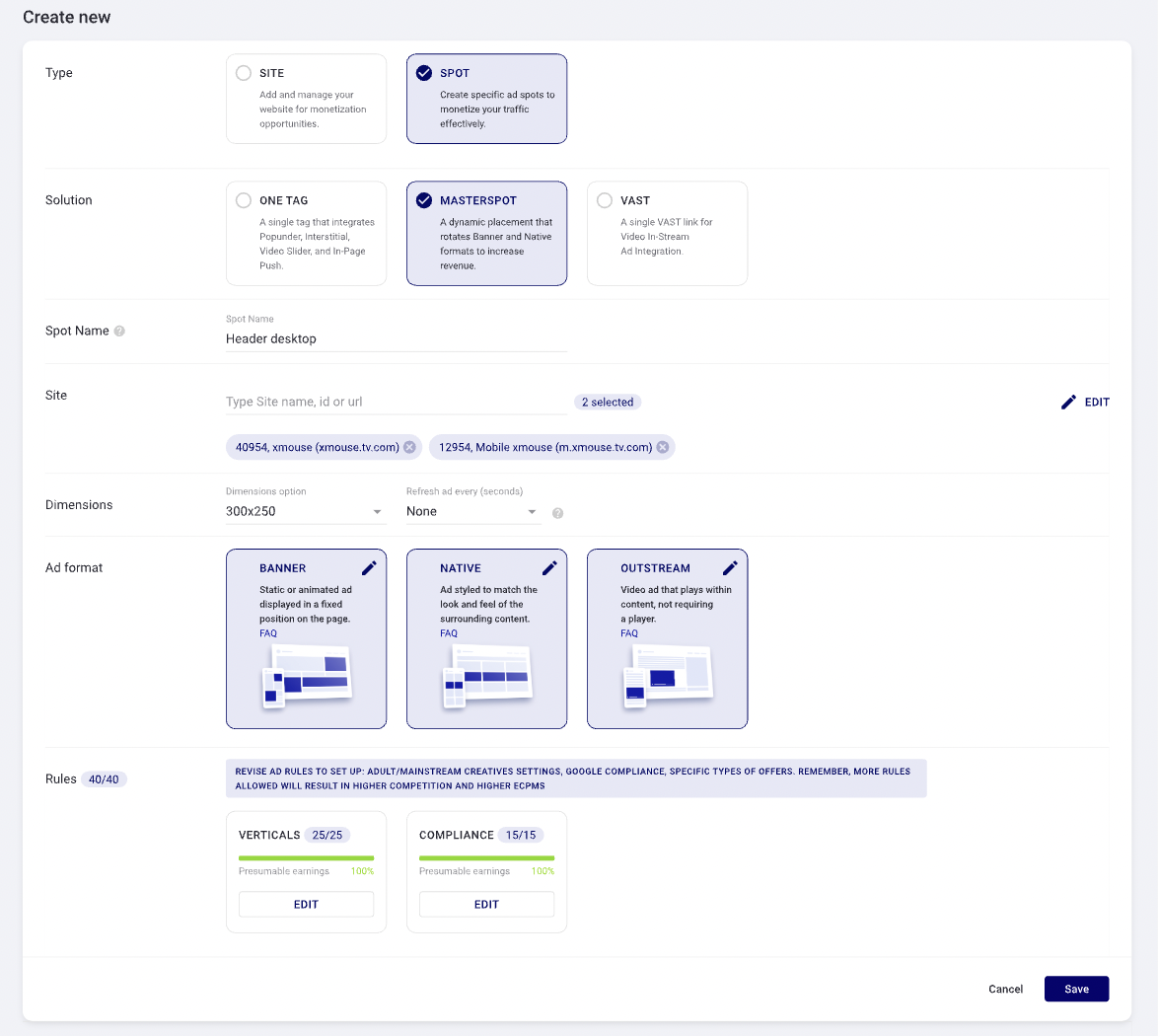
- MasterSpot 2.0 lets you manage all ad formats from a single setup. Display standard banners, custom native placements or Video Outstream without creating multiple zones. Install the code once, and you’re set – any future changes in the settings will be applied automatically, with no need to update the code.
2. Brand-new Native design
- Faster loading, improved mobile responsiveness, engaging CTA – looks great on every device. With plenty of settings available, you can easily adapt the widget to match your website’s design and create a seamless native experience across all devices.

3. Built-in Carousel
- Enhanced native format options now include customizable layouts and carousel-style creatives, allowing multiple ads to be shown within a single placement while maintaining a seamless user experience.


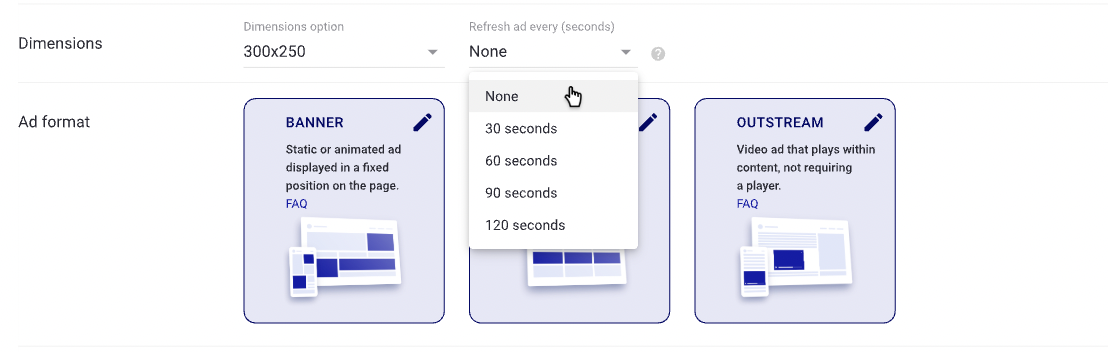
4. Automatic ad refresh
- When visitors stay on the page, fresh ads load automatically (with smart frequency capping so it never feels spammy). This increases impressions and revenue.
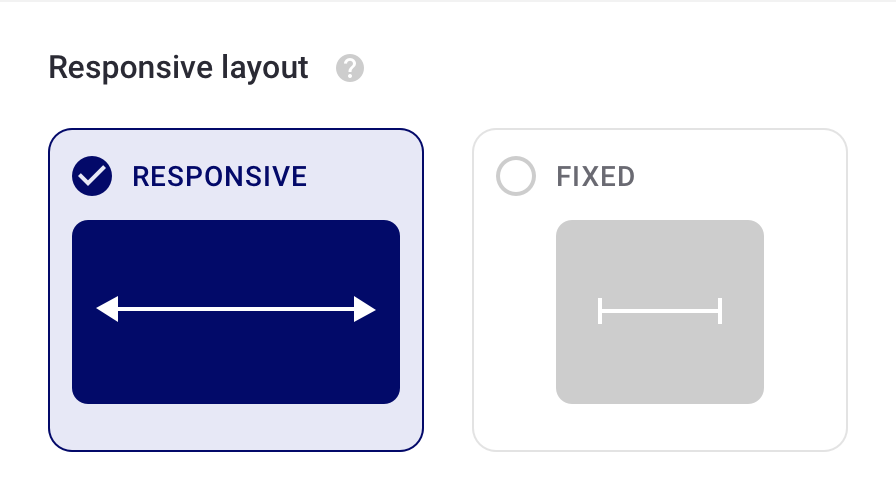
5. Responsiveness (adaptive layout)
- No more empty or non-clickable zones - with our Mobile Responsive Ad feature, ad units can automatically adapt to the screen width and device, ensuring optimal display and performance across desktop and mobile.
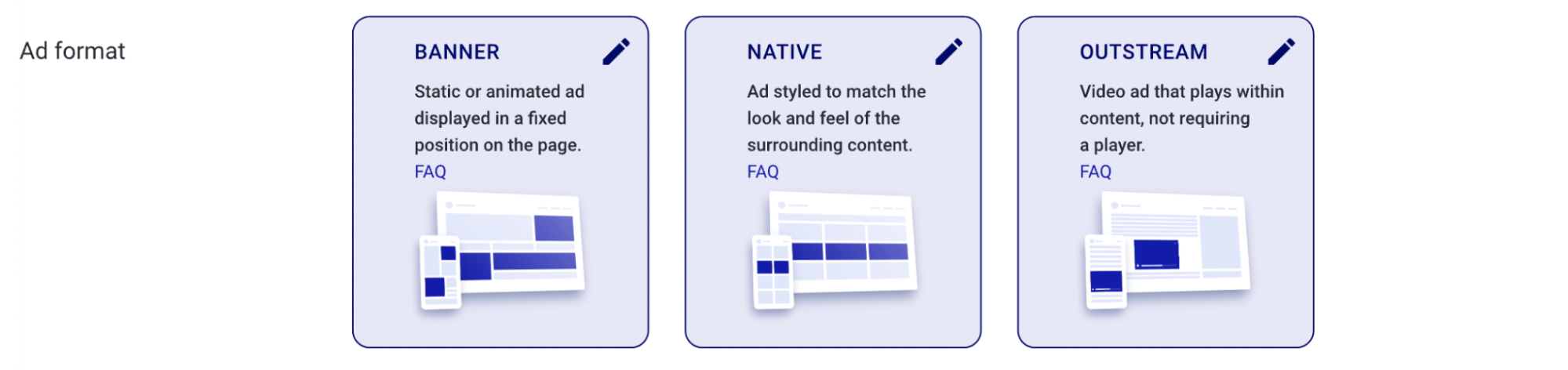
6. New high-performing ad formats
- Now you can rotate Video Outstream alongside the usual banner and native formats, unlocking additional demand and increasing monetization opportunities within the same spot.
7. Real potential to boost CTR and RPM
- Early internal tests across different sites show noticeable lifts in both click-through rates and revenue per mille thanks to the new features + design. Exact numbers will vary by site, but the direction is consistently up.
What changes for publishers (old vs new)
Before
- Separate zones for simple banners (300×250, 728×90, etc.)
- Separate zones for simple native banner
- Separate zones for Video Outstream
- MasterSpot as an optional rotation format
Starting now
- Only MasterSpot Solution remains
- All previous simple banners and simple native zones are automatically converted to MasterSpot units
- Publishers get one clean code per placement – less work, faster setup, more advertisers competing inside each zone
Migration & next steps
We’re rolling out the update gradually, and we’ve made the transition as seamless as possible for everyone.
If you already use MasterSpot on some or all placements
- You will need to update the scripts to the new version. The updated codes are already available in your dashboard — simply replace the old scripts with the new ones. Once updated, you’ll immediately start seeing the new design, carousel, auto-refresh, and other improvements. Your revenue should only increase from there.
If you have already updated to the latest MasterSpot scripts
- No action is required. You’re already on the new version — the features (carousel, auto-refresh, etc.) will become active automatically as we roll out the changes. Feel free to check your dashboard and placements to see the new look and performance in action.
If you still have simple banners or simple native zones (not using MasterSpot everywhere)
- We’ll automatically convert those legacy zones to MasterSpot Solution units behind the scenes with zero downtime. After the conversion, just go to your dashboard, grab the new MasterSpot codes for those placements, and replace the old ones. Everything will continue working, but now with access to carousel, auto-refresh, and higher competition inside each zone.
Questions? Message us in support — we’re here to make the transition smooth.
The bottom line
MasterSpot 2.0 is not just an update — it’s our commitment to giving publishers one powerful, modern, high-performing solution that maximizes competition, simplifies management, and drives higher earnings.
One code. One placement. Endless revenue opportunities.




.png)
.png)