
Win Rate (win rate) is a key metric that shows how often your campaign wins in the auction. Simply put: out of 100 auctions your campaign participated in, how many did it win.
How Win Rate Is сalculated
Formula: (won auctions/total auctions your campaign participated in) × 100%
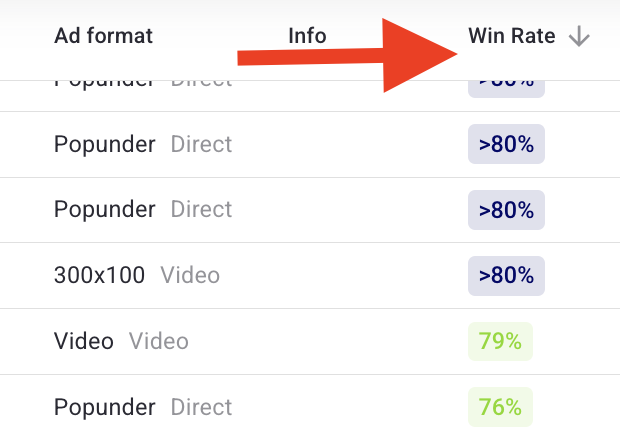
Important: Win Rate is calculated based only on the campaign's targeting. Win Rate is recalculated approximately every 10 minutes based on the latest rolling 24-hour data.
The following factors are NOT included in the calculation:
- Frequency capping
- Daily/total campaign budget
- Creative availability
This means your campaign might have a high Win Rate on paper, but still miss out on traffic due to budget limits or banner restrictions.
Which targeting parameters are included
The following targeting parameters are used in Win Rate calculation:
- Event Time
- Country
- Region
- Device
- Os
- Browser
- Carrier
- Language
- Ad Format
- Spot
- Site
- Os Version
- Browser Version
- Device Model
- Device Brand
- Sub IDs
- Categories
Why Win Rate might show 0% even with traffic
The reasons:
- Very low bid. If your bid is significantly below market rate, you lose most auctions. When WinRate is
- Narrow targeting. Tight GEO (e.g., just one city) or single-device restrictions reduce the number of available auctions.
- High competition. In popular GEOs (US, UK, Germany), bids are higher, and your offer may not be competitive enough.
- CPA campaigns. For CPA models, WinRate may show as 0% because lead volume comes in unevenly, making the metric less reliable.
What to do if Win Rate is low?
Bid is below market. Increase your CPM/CPC bid. Check recommended bids for your targeting.
Targeting is too narrow. Expand GEO - add more countries or regions.
Budget limits. Increase daily cap, even with high WinRate you may be missing traffic.
Format underperforms. Try other formats.
Offer isn't competitive. Analyze what competitors are offering and adjust your offer.
Important note about flat deals
Some traffic on the platform is sold via flat rates (fixed price), not through auctions. This traffic does not participate in the auction and is not included in WinRate calculations. Example: Your WinRate shows 20%, but 80% of available traffic is sold via flat deals. This means you have no chance to win that traffic through auction.
Quick Summary:
WinRate = percentage of auctions won out of all auctions your campaign participated in
Calculated based only on targeting (excluding budgets, frequency capping, and creatives)
Flat traffic is not counted - you cannot influence it by raising your bid
Low WinRate → raise your bid or expand targeting
Where to see Win Rate: in the campaign interface, in the statistics section, or in auction reports. For any questions, please contact support.
support@trafficstars.com