
.png "The best way to promote your Cam channel or OnlyFans account")
Entering the world of webcam modeling has a lot of exciting possibilities writing and earning your own cheques. But, you need to be a little tactical to get the best visibility in the digital terrain. In this post, we’ll reveal the tips and tricks on how to advertise your webcam well, for the new cam models and for those who want to promote webcam model. From exploiting your social talent to making the most of your online profile, we explore the subtleties of marketing a webcam model successfully. Whether you’re an experienced perv or a first-timer looking for advice on promote your webcam, Our guide will help you make your name and carve out a successful niche in the colorful world of online entertainment.
The webcam modeling market is growing at a rapid pace. There are dozens of webcam platforms and thousands of models make their living by live streaming and chatting. The success of OnlyFans creators also proves that this niche is extremely popular nowadays.In 2025, the worldwide adult webcam business is expected to make $2–3 billion a year, live camming being a multi-billion-dollar segment of the creator economy.
This method of earning draws in for its simplicity and good returns. Based on Glassdoor information, a webcam model in the US earns an average of $79,145 a year. The average median is between 60 and 106 k.
It’s hard to make yourself known among all the other players early in the game. So availability is key in this phase. So here comes paid advertising that would boost a video views or gain more new fans.
TrafficStars - A self-service with friendly interface where you can advertise your offer and services on the traffic network of our publishers. You may hire someone to run your ads, whether you’re an agency or cam model. It’s very simple to customize your campaigns, monitor your results and optimize your performance.
In this step-by-step guide, you’ll learn how to reach out to your target audience.
Sign up and create your first ad campaign.
Choose an ad format. I would recommend you start with native, banner, or video ads.
Which ad format to choose?
Banner
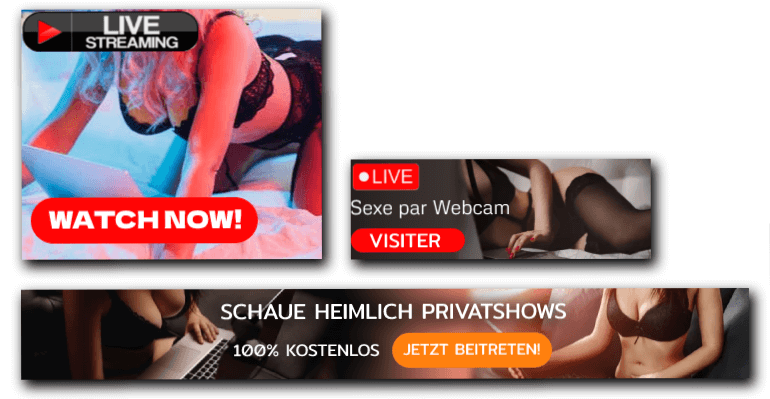
Banner is one of the most popular ad formats in our inventory. There are different shapes and ad spots. You can run animated, video, and interactive banners. Display ads effectiveness depends on a properly configured ad campaign and well-crafted creatives. How to promote your webcam with banners? - Check out this definitive guide to banner ads. Where you will find banner sizes used by TrafficStars and tips for designing high-converting banners.
Native
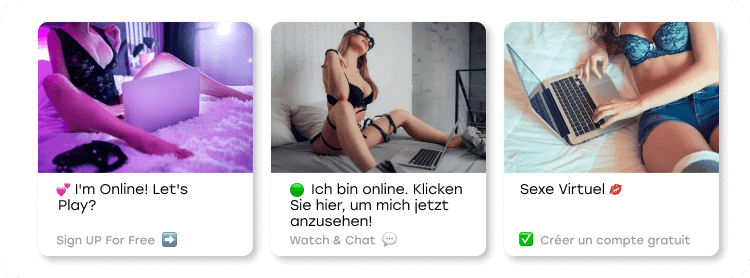
Native ads are delivered in a way consistent with the form, style, and voice of the website they appear on. Native ads consist of an image, headline, and brand name. Technical and advertising guidelines for native ads.
Video
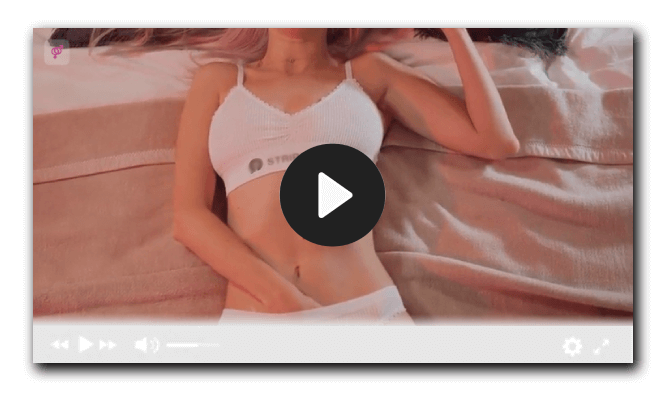
Video is the most fun ad format to work with since there’s a lot of space for creativity. The benefits of video ad in TrafficStars are astronomical. What you‛ll want to do is promote webcam model agent effectively with on the brief fun videos that really grab the attention and show the person what makes you unique. Regular video content on relevant sites can extend your organic reach, enhance your personal brand, and bring qualified traffic to your webcam page. Prioritize powerful visual hooks, native platform formats and clear calls to action to convert viewers into paying fans.
Targeting options
Choose your targeting options according to your strategy.
If you are wondering how to promote webcam girl or elode your own line, the first step is to consider staging an advertising campaign.
Select your time zone. Select the days and hours you want to show ads, i.e. you must be online during this time.
Select the required countries and languages.
Create separate ad campaigns for each device: Desktop, Mobile, and Tablet.
This way you will precisely control your price.
Mark non-proxy traffic only.
The rest of the settings can be left as default.
Click next and go to the next tab - Audience and Pricing
Select the traffic type:
- RON - all ad spots.
- PRIME - Premium ad spots.
- MEMBERS AREA - Ad spots with registered users.
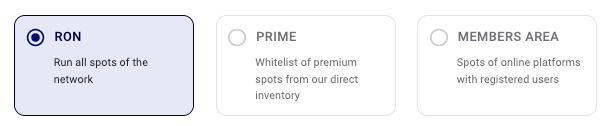
Create separate campaigns for each traffic type. Set a higher bid for the Members area and a lower bid for RON traffic.
Select a pricing model by which you will buy traffic:
We recommend starting with CPM model. By this model, you pay for impressions. That is, if your rate is $0.1, then you’ll pay $0.1 per 1000 impressions.
💡 If you choose Native ad format, the CPMv model will also be available.
💡 Besides standard CPM, you can launch ads on Dynamic CPM. DCPM allows you to bid at the best price possible without going higher than your bid.
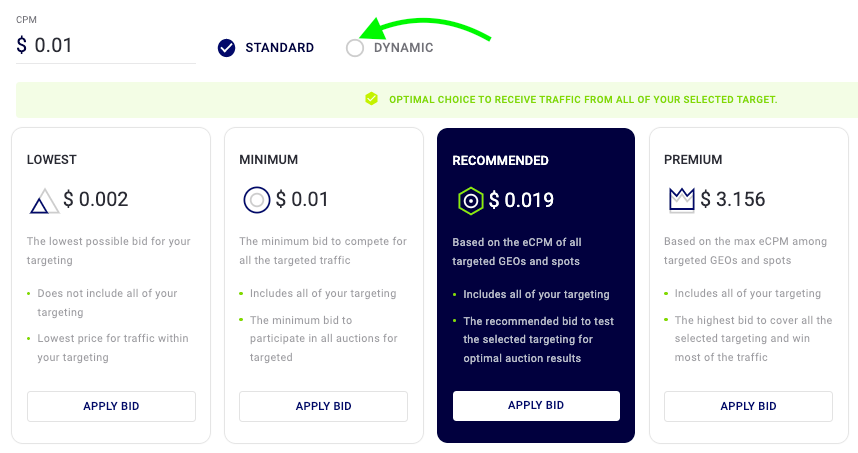
Get started with the minimum bid - $0.01 Apply the Recommended bid to get more traffic.
Set a daily budget limit. The minimum – $10.
Click Next to go to the Creatives tab.
Upload your ad creatives.
Make sure it meets our ad requirements:
Static or animated banner:
- File format: JPG, JPEG, PNG, GIF
- Weight: up to 4Mb
- File format: MP4, AVI, MOV
- Resolution: 1920x1080
- Bit Rate: 8 MBit/s
- Weight: up to 20 MB
- Length: up to 30 sec
- File format: MP4, AVI, MOV
- Resolution: depending on the size of the banner.
- Weight: up to 20 MB
- Length: up to 15 sec
- File format: JPG, JPEG, PNG
- Image size – 4:3 ratio, 1500x1500px max.
- Headline – 80 characters max.
- Brand name – 30 characters max.
Then add a link to the promoted live stream or your OnlyFans page.
How to get the link?
There are 2 options: Use the direct URL of your live stream/page. This is the easiest option, but we do not recommend it. Use your affiliate link. You will earn extra money on the referral program by choosing this option. Also, you will be able to get more statistics about your traffic and increase your profits eventually. Let me show you how to do this using the Stripcash affiliate program as an example.
#1 Create your model account at Stripchat. You would need to get your nickname for the link. Open your stream. The link looks like this https://stripchat.com/yournickname. The word after the slash is your nickname.
Sign up at Stripcash.
#2 Go to the tab Links & Ad Creatives.
#3 Select Model’s room
#4 Pick the Model’s name and enter the nickname
#5 Select a pop-up window (optional).
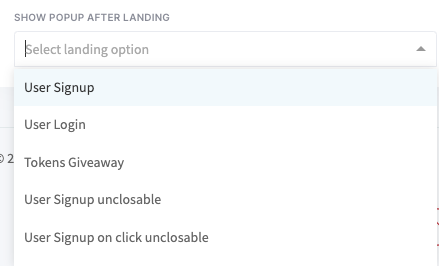
#6 This link should be used in your TrafficStars ad campaign (We will paste the link in step #13).

#7 But that's not all! To pass info about leads (conversions), you need to go to the Media Buying Tools tab.
#8 Choose the Advanced mode and pick these options:
#9 Enter the name, like Stripcash, and replace the default tokens by the following: {memberId}, {revenue} and {transactionId}. Then click Generate.
#10. Here is your Postback URL. It should look like this:
#11 Copy and paste it into the Stripcash Postback URL field.
💡 And don't forget to save your settings.
#12 Also, you need to add second postback to track registrations.
Fill in the fields as shown below.
- Website - stripchat.com
- Type - registration
- Method - GET
- URL - this is a postback that we already created, but without value and lead_code parameters. So you have to copy and paste the postback leaving only the key and clickid parameters.
The link will look like this: https://tsyndicate.com/api/v1/cpa/action?key=0WIPiutdEVmO08QkCZoTeT7dqQWqtcZiYxY7&clickid={memberId}
💡 The key parameter is a unique number for each user.
Click on the Create postback button.
#13 The final step is adding the link to the campaign. bold text The link will look like this:
https://go.xxxvjmp.com?userId=uniquenumber&onlineModels=yournickname&showModal=signup&memberId={click_id}&p1={adspot_id}&p2={creative_id}&campaignId=modelnickname
Paste the link.
Double-check your settings. If everything is OK, then click Publish. Once the campaign is approved, your campaign will get traffic.
💡 There is an option for agencies that need to promote several models. Ask about it your account manager.
Advertising Tips
- If you already have the clients' statistics that bring you more money, set up the required targeting (countries, language, devices, etc.)
- Get started with a min CPM bid. Raise it, if you want to spend more.
- Target Prime ad spots and Members area traffic types for your first ad campaigns.
- Target RON traffic type to scale your ad campaigns.
- During advertising, be maximally active. Come up with enticing content so that new users do not leave your profile.
- The cost of video advertising is higher, but it gives better results.
- If your budget is tight, better to start with display ads.
- Come up with several ad creatives. Use at least 5 ad creatives per campaign and refresh it if you see that its click-through rate is decreasing.
- A long-term strategy is a key to success in advertising. Keep running ads for at least a few weeks.
- Set a daily budget limit so you don't spend your entire budget at once.
- Schedule your ad campaign according to your live-streaming hours.
- Don’t hesitate to contact your account manager. He/She has valuable advice to share.
Media buying is really simple with TrafficStars. Sign up now and increase your profits!



.png)
.png)
.png)