preload logo
Welcome to TrafficStars

Scale Your Campaigns with High-Volume Popunder Traffic

Reach the right audience, drive more conversions, and launch your popunder campaign in minutes with TrafficStars.

10B+
Impressions Daily
190+
Countries Reached
100%
Fill Rates Across Campaigns
Get Started
Scale Your Campaigns with High-Volume Popunder Traffic
About the Platform
The TrafficStars platform helps you achieve your goals
Easy integration illustration

Easy integration

for advertisers

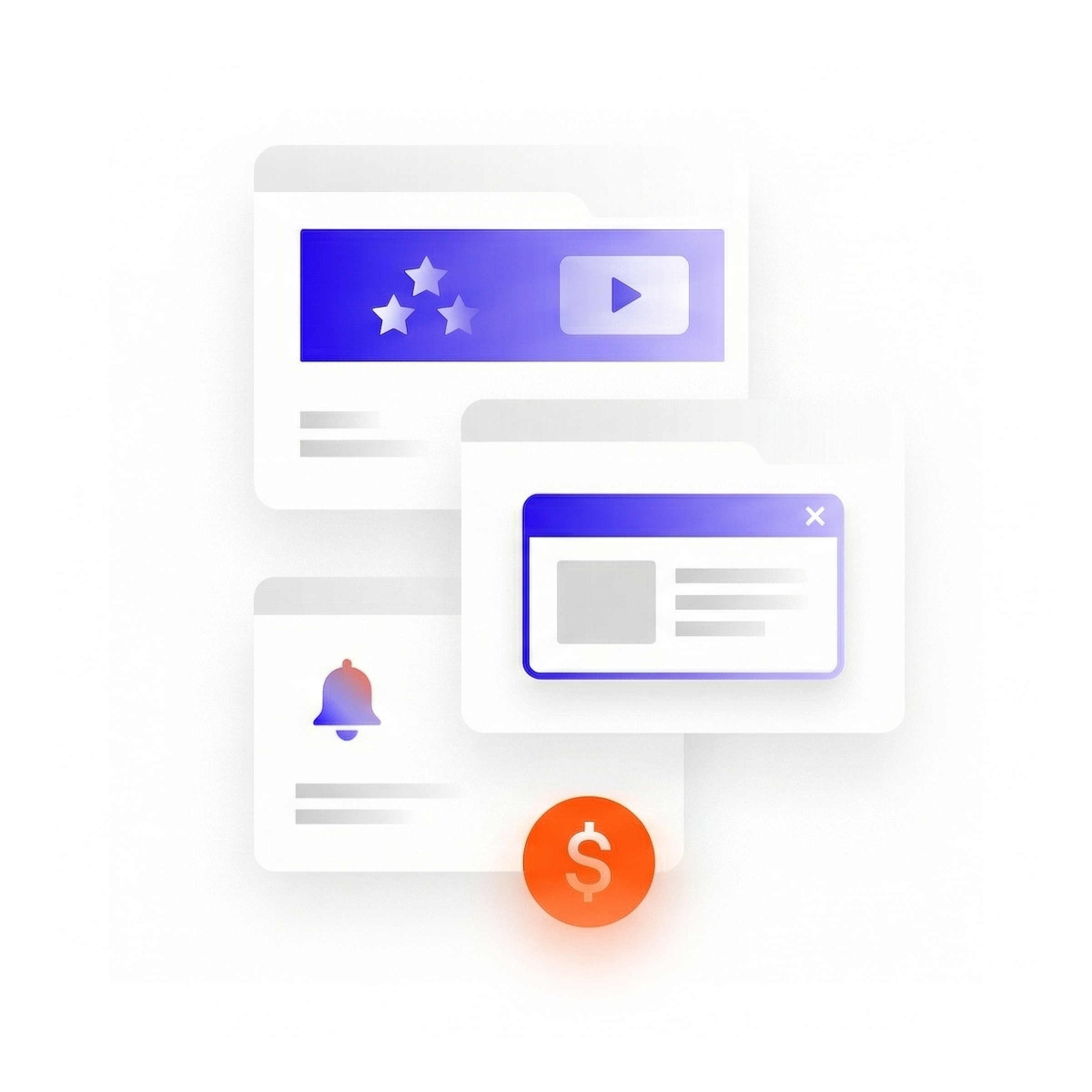
Advertising formats illustration

Support for advertising formats

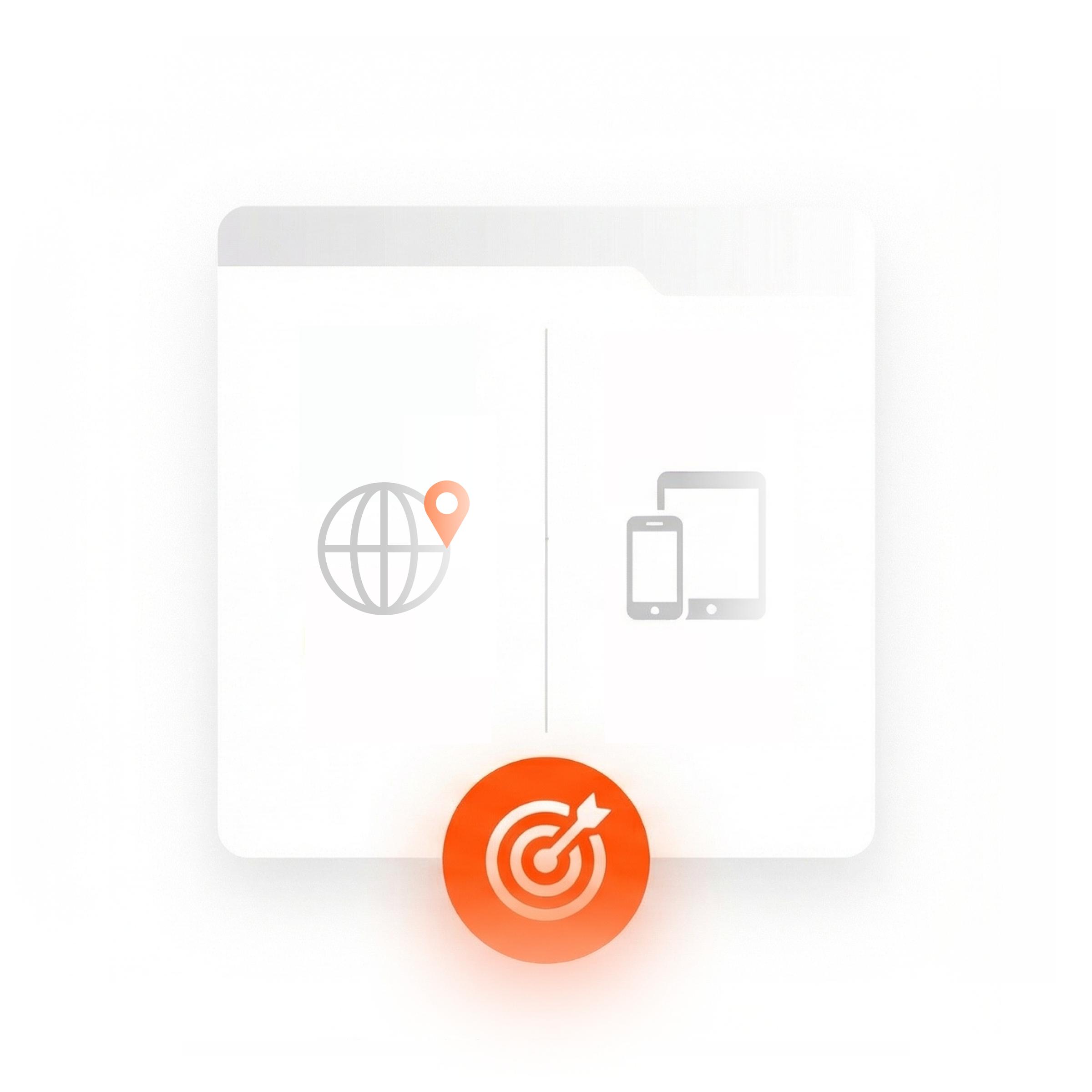
Flexible targeting illustration

Flexible targeting

GEO, devices, languages, browsers, time intervals
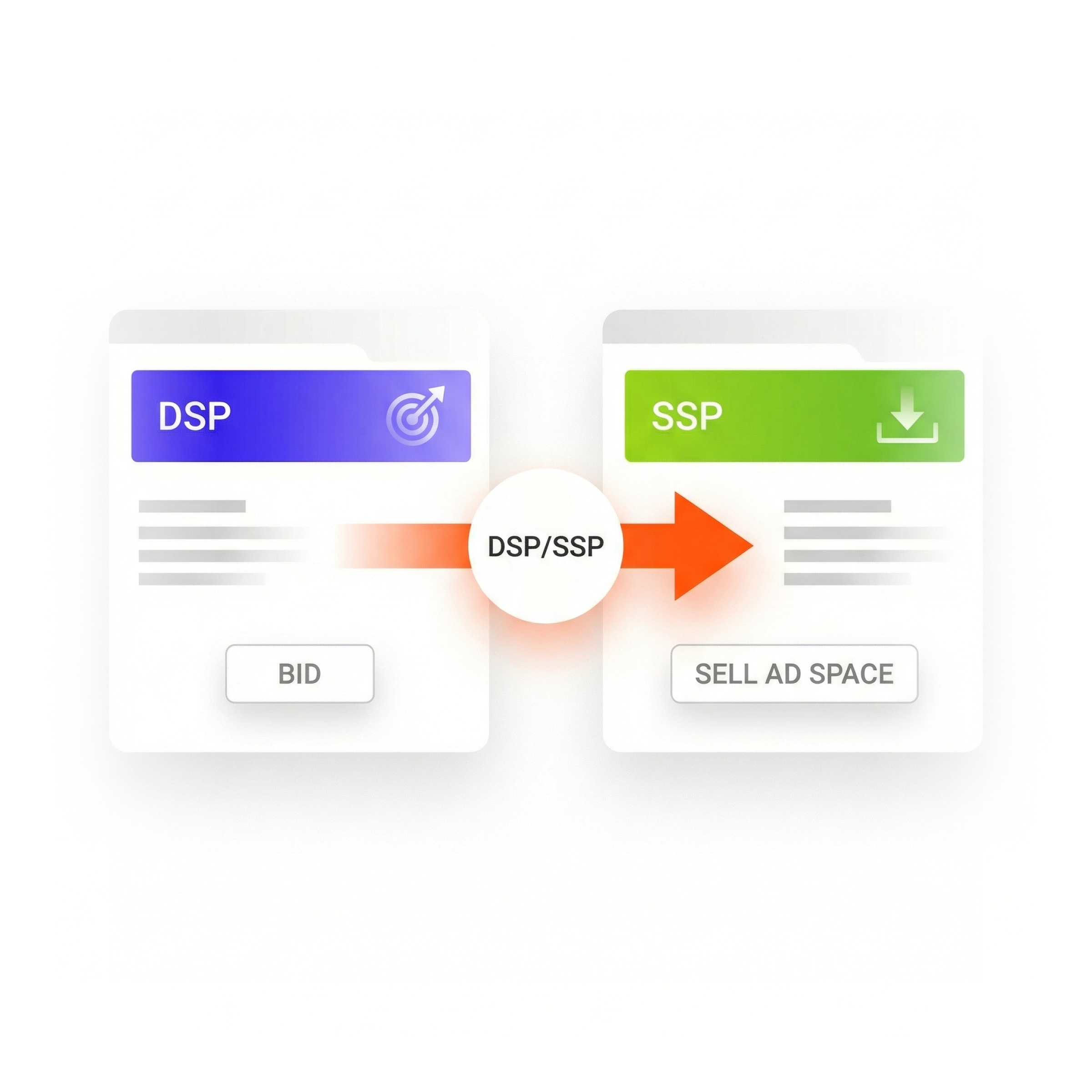
Integration with DSP/SSP
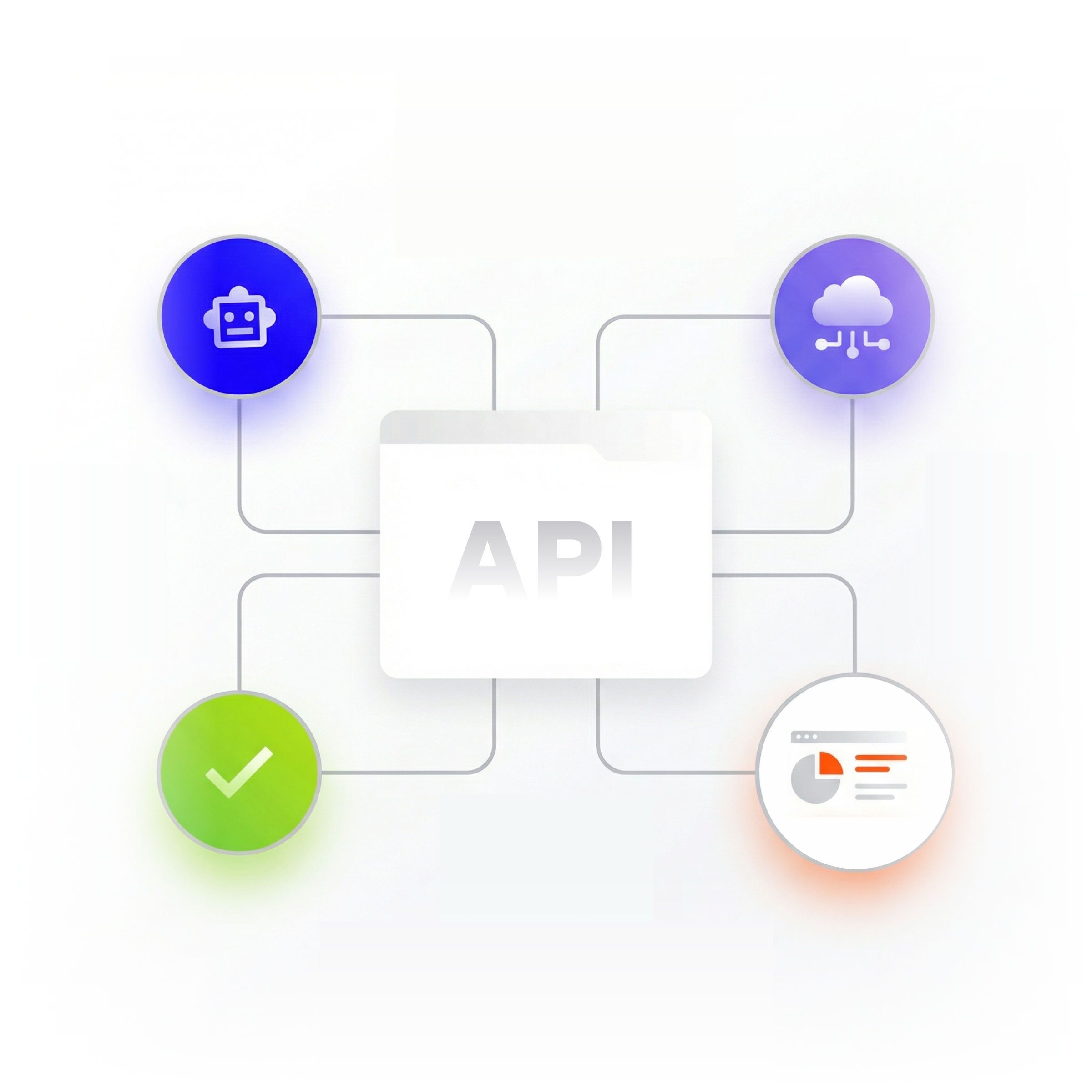
Integration with DSP/SSP

Convenient API for automation

Convenient API for automation

Buy High-Volume Popunder Traffic with TrafficStars

Scale Your Campaigns with High-Volume Popunder Traffic

Popunder Ads: Complete Guide to High-Volume, Low-Cost Conversions with TrafficStars

Popunder ads remain one of the most effective tools in a performance marketer's arsenal. They deliver massive traffic volumes at a fraction of the cost of other ad formats, making them ideal for affiliate marketers, media buyers, and advertisers who need fast, measurable results. This guide covers everything you need to know about popunder advertising - from how popunders work to buying, optimizing, and scaling campaigns on TrafficStars.

What is a popunder ad?

A popunder ad is a digital advertising format that opens in a new browser window or tab behind the active browser window. It stays hidden while the user browses the main site and only becomes visible when they close or minimize the current window. This delayed appearance is what makes popunders less intrusive than traditional pop-up ads.

In modern browsers, popunder ads work by firing JavaScript tied to explicit user interactions—a click, scroll, or touch event—to comply with Chrome, Safari, and Firefox policies enforced through 2024–2026. Simple “onload” triggers no longer work.

Unlike pop-ups, which appear immediately on top of content and interrupt the browsing session, popunders wait until the user finishes their current browser window session. This background approach means the user encounters the offer at a natural transition moment, not mid-task.

This format directly combats banner blindness. Studies suggest that roughly 80% of users fail to notice or process standard banner placements. Because a popunder surfaces as a full page in a new window after the main session, it captures fresh attention.

Here is the typical user flow: a user visits a publisher site, clicks a link or interacts with the page, and a fast landing page loads behind the current browser window. Once they close the main tab, they see the advertiser’s offer—a sweepstake, dating signup, VPN install, casino registration, or similar. For example, an affiliate running a mobile utility offer in India generated thousands of daily installs via popunder traffic on TrafficStars at remarkably low cost.

Popunder vs. popup and other ad formats

Popunder belongs to the broader pop ads family and should be compared not only to the classic popup ad but also to banners, native, push, video, and interstitial ad formats. Each serves a different purpose in a marketer’s toolkit.

The core difference between popunder and popup is that a popup ad appears immediately over content, demanding dismissal. A popunder opens in a separate browser window behind the main window and surfaces later. Pop ads overall can achieve click-through rates six times higher than banners, which often sit below 0.5% CTR. Popunder ads can achieve a CTR six times higher than banners specifically because they occupy a full screen when finally viewed, rather than competing for attention in a crowded page layout.

Interstitial ads overlay the current page between navigations. They capture immediate attention but interrupt the user’s flow. Popunders avoid this by opening in a completely separate tab.

When comparing popunder with other ad formats on TrafficStars, banner and native ads suit brand awareness and softer funnel stages. Video pre-roll works for storytelling and engagement. In-page push excels at re-engagement and timely alerts. Popunder is the go-to option when you need instant traffic volumes, a low-cost entry point, and simple offer funnels rather than soft branding.

Advertisers often test popunder alongside push or banner ads to capture incremental reach across the full funnel. Choose popunder when your marketing strategy calls for volume-first, performance-driven campaigns with straightforward business objectives.

Key benefits of popunder ads for performance marketers

Performance and affiliate marketers favor popunder because the format delivers scale with minimal creative overhead. You don’t need video production or rich media—just a landing page and a compelling offer.

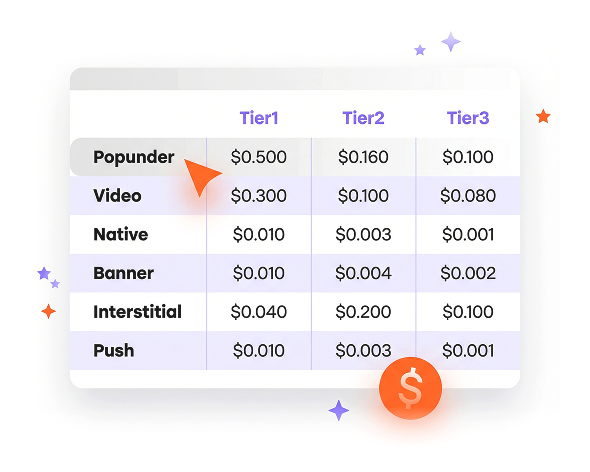
The four key benefits break down as follows. First, high traffic volumes: popunder ads can generate large amounts of traffic quickly, and popunder traffic volumes increased by eight times in just eight months on leading networks. Second, low cost: popunder ads typically have a lower cost per impression than other formats, with a minimum CPM starting at $0.5 on TrafficStars, ranging up to around $2–$4 in premium Tier-1 GEOs like the USA and dropping below $0.20 in Tier-3 markets like India. Third, strong conversion rate potential: the conversion rate for popunder ads increased four times in eight months, proving the format’s growing effectiveness. Fourth, resistance to banner blindness: because the offer loads as a full page rather than a sidebar rectangle, users actually see it.

In 2026, popunder ads gathered over 230 million impressions monthly, confirming the format’s massive reach. TrafficStars alone delivers over 100 million popunder impressions daily across 200+ GEOs, making it possible to test dozens of offers and scale winners rapidly.

Unlike many display buys, popunder lets you instantly push potential customers to your own landing page, pre-lander, or smartlink without additional creative approvals—pure speed and agility for performance marketers.

Best verticals and GEOs for popunder traffic

Not every niche performs equally with popunder. Certain verticals consistently outperform on popunder ad networks like TrafficStars because of their compatibility with direct, simple offer flows.

The best verticals include Dating, iGaming (casino and sports betting), Webcam and adult entertainment, Sweepstakes, Mobile utilities (VPN, cleaners, and antivirus), and Finance and Crypto. Some mainstream verticals, such as e-commerce and e-learning, also show strong results. Popunders are ideal for verticals like finance and gambling because these niches thrive on quick decisions and broad audience appeal. Popunder ads are also effective for lead generation where a simple offer—a registration, an install, or an email submission—is all that’s needed.

Top GEOs for popunder traffic on TrafficStars include India, the USA, Japan, Germany, France, Vietnam, the UK, Malaysia, China, and Brazil. CPM and conversion behavior differ sharply: Tier-1 GEOs (the USA, Germany, and the UK) carry higher CPMs of $2–$5 or more but offer stronger EPC. Tier-3 markets (India, Vietnam, and Brazil) offer CPMs as low as $0.10–$0.50 with enormous traffic volume.

Consider two scenarios. An iGaming offer in Brazil might scale at a very low cost while maintaining decent conversion rates for registrations. A VPN offer in Germany will face higher CPMs but can deliver a competitive CPA thanks to the higher value of each lead.

For new advertisers entering new GEOs, start where popunder traffic is both affordable and abundant—India, Brazil, or Vietnam—to gather data quickly. Apply those insights before committing a larger budget to expensive Tier-1 tests.

How popunder ads work on TrafficStars

This section covers the technical and user-journey mechanics of a popunder ad delivered through TrafficStars’ ad network and RTB marketplace.

The trigger process works like this: a user visits a publisher site connected to TrafficStars. When they interact with the page—a click, scroll, or similar gesture—a script triggers a popunder that opens in a new tab behind the current window. The advertiser’s landing page or tracking link loads immediately in the background tab, so the offer is fully rendered by the time the user discovers it.

Within the popunder window, creative formats can vary widely. You might use a static landing page with a headline and CTA, an interactive quiz or survey, a video lander, or a multi-step pre-landing page tailored by GEO and device. Popunder ads are effective across both desktop and mobile devices, giving advertisers flexibility in how they structure their funnels.

TrafficStars offers several pricing models for popunder advertising: CPM, sCPM (dynamic pricing that adjusts bids based on competition), and CPA with postback tracking. Impressions are counted when the ad loads, conversions are tracked through S2S postback integration, and clicks are measured when users interact with the ad.

TrafficStars applies fraud-detection and anti-bot systems to filter invalid traffic before it reaches the advertiser’s popunder campaign, helping protect traffic quality and the campaign budget.

Buying popunder traffic with TrafficStars

Here is a practical walkthrough for anyone looking to buy popunder traffic on TrafficStars’ self-serve platform.

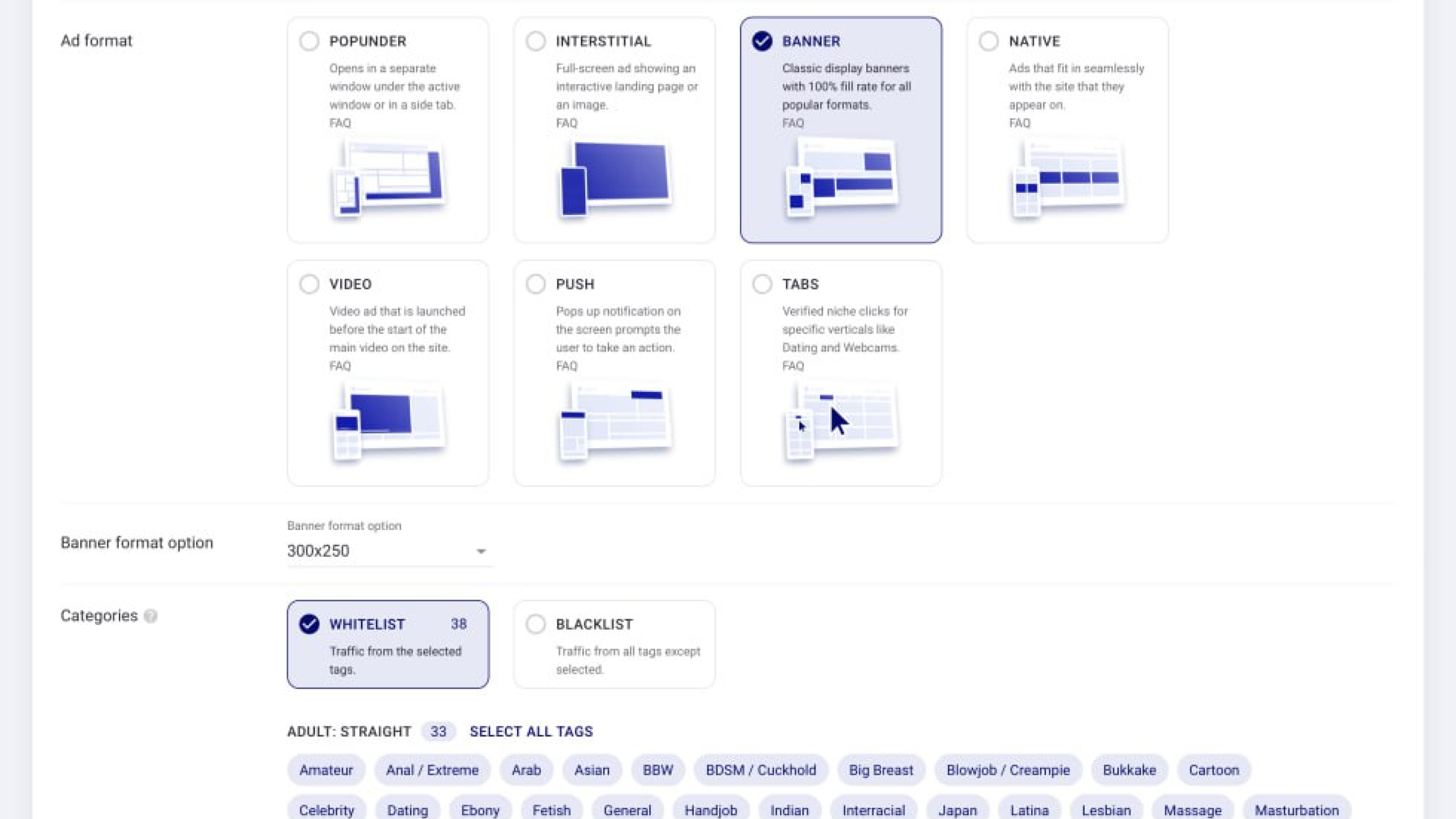
The basic steps are straightforward. Sign up for a TrafficStars advertiser account, complete the verification process, and deposit funds using a credit card, cryptocurrency, or wire transfer. When creating your campaign, select “Popunder” from the available ad formats. Choose your pricing model—CPM, sCPM, or CPA—then set your bids and daily budget. Once everything is ready, launch your campaign.

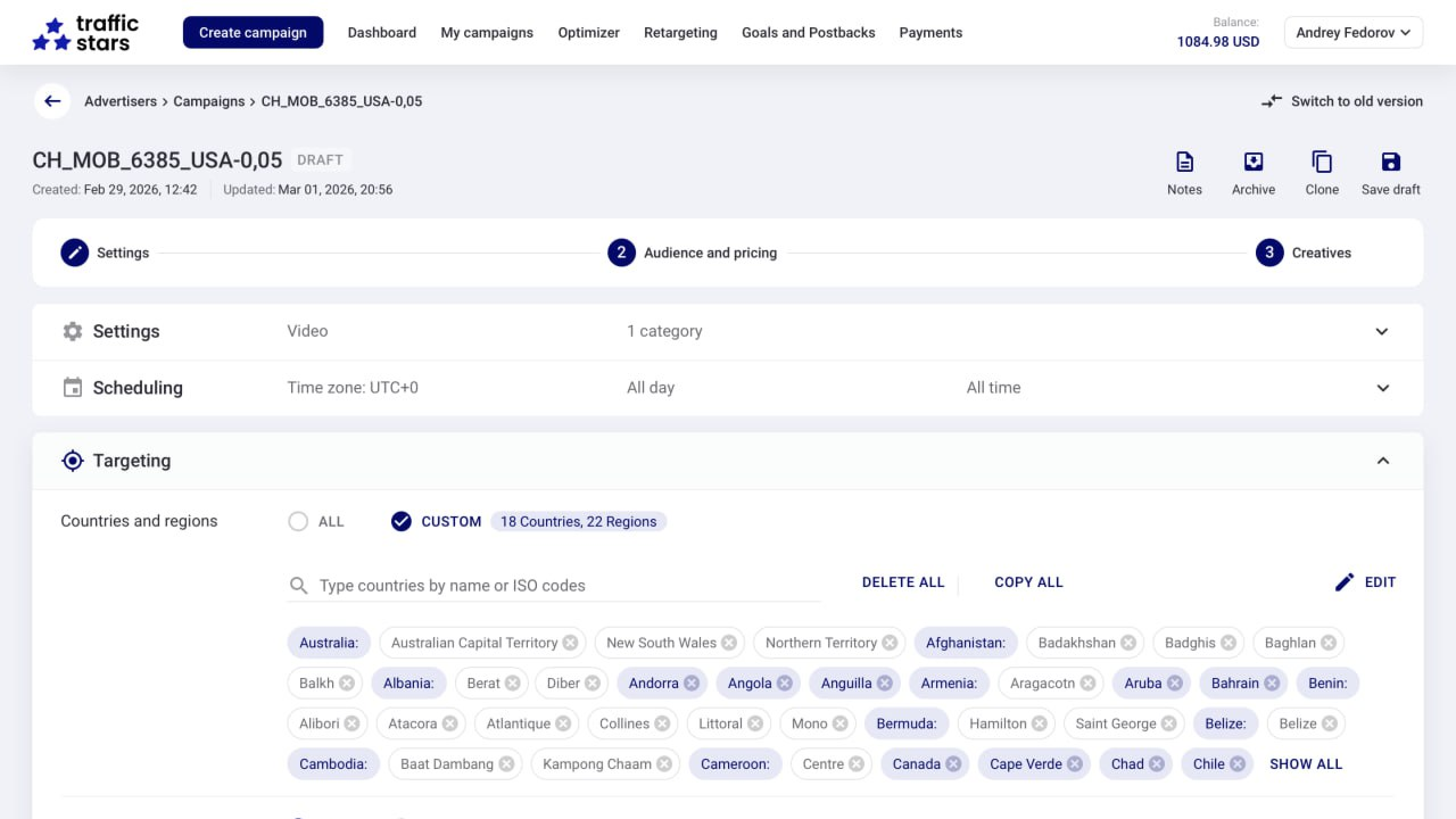
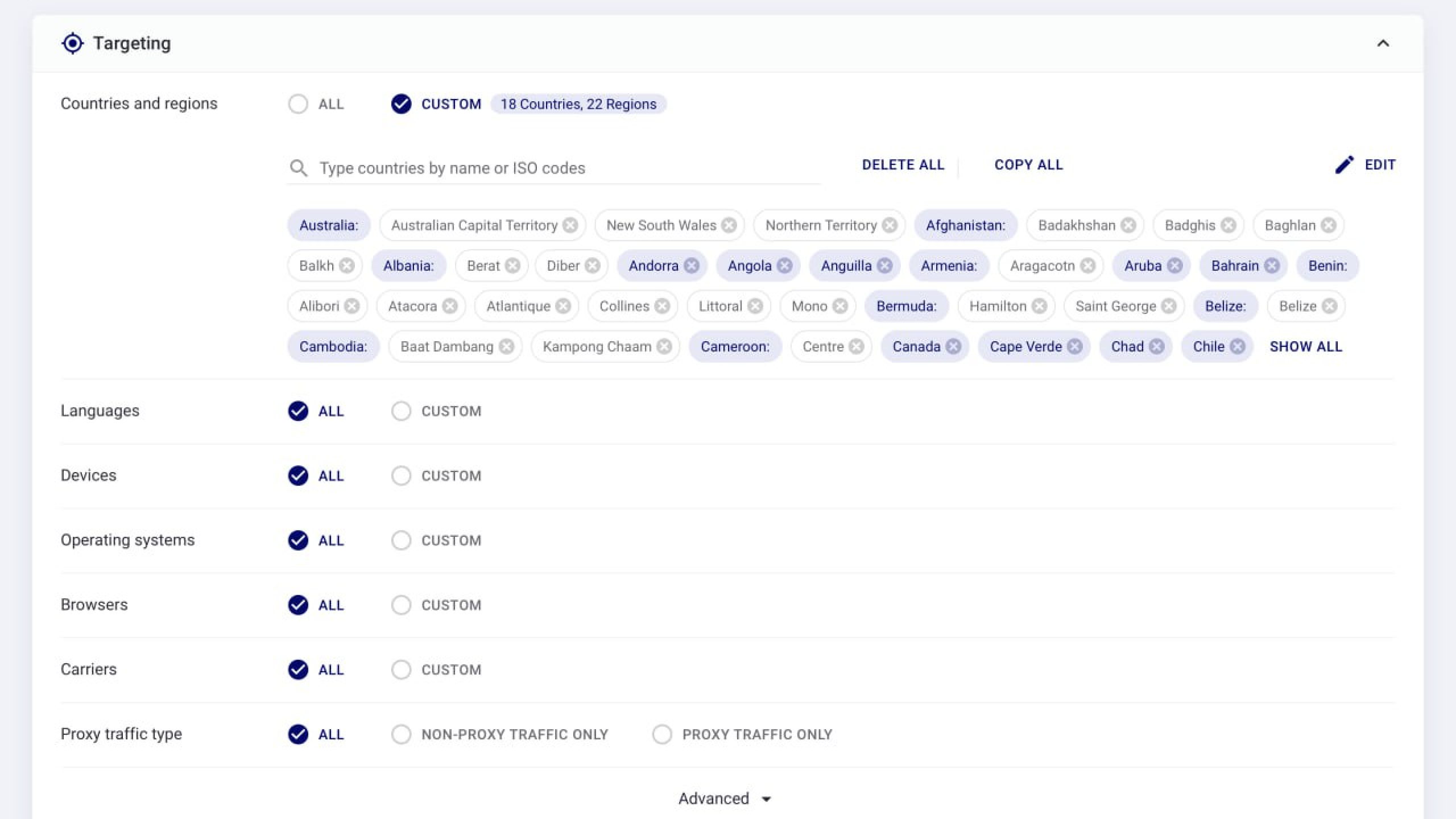
TrafficStars offers granular targeting options. Define your GEO, device type (desktop or mobile), operating system, browser, language, and connection type. Advanced settings include dayparting, carrier targeting, zone selection, and whitelists or blacklists. Split campaigns by device—and often by GEO—for cleaner data and easier optimization.

For your test budget, allocate at least 3–5 times your target CPA for each GEO and offer combination. For example, if your target CPA is $5, set aside $15–$25 per test run to collect enough data and make meaningful decisions about which traffic sources perform best.

TrafficStars supports both direct buying for hands-on advertisers and programmatic RTB access for larger agencies. Explore the popunder product page for full specifications. Campaign duplication, automatic optimization rules, and postback integrations help streamline the entire workflow from initial testing to scaling.

Optimizing popunder campaigns: landing pages, speed and funnels

The landing page is where popunder campaigns are won or lost. The format brings volume, but a slow or confusing page will waste every impression.

A fast landing page is non-negotiable. Popunder ads should load in under one second on 4G connections. Every additional second of loading time increases bounce rates and reduces conversions, especially with pop traffic where user engagement is initially cold. Remove unnecessary scripts, compress images, and use lightweight frameworks.

Landing page best practices include a clear above-the-fold headline, a prominent CTA, minimal distractions, localized language and currency for each GEO, and simple forms. Remove unnecessary navigation bars and sidebars. SOI, email-only, and one-click installation flows generally work best for straightforward offers.

Pre-landing pages add a warming layer for cold traffic. For verticals such as iGaming, Dating, and Sweepstakes, use surveys, quizzes, or “spin the wheel” gamification to build user engagement before asking for a conversion. Well-structured funnels with engaging pre-landers can significantly improve the conversion performance of popunder campaigns.

Testing multiple landing pages can improve conversion rates, so run A/B tests on headlines, layouts, CTAs, and user flows. Use TrafficStars’ built-in split-testing tools or external trackers. The platform supports passing tokens—such as zone ID, GEO, and device—to trackers and returning conversion data through postback, enabling funnel optimization down to individual traffic sources and zones.

Advanced targeting, ad blockers, and security

High-quality popunder traffic depends on advanced targeting, anti-fraud protection, and strategies for handling ad blockers. Without these measures, even inexpensive impressions can become wasted spend.

TrafficStars offers granular targeting by GEO, device and operating system, browser, language, connection type, time of day, and individual traffic zone. Run separate whitelist and blacklist campaigns to isolate your best-performing traffic sources. Campaigns launched in Performance Mode receive new whitelists weekly, and using whitelists can increase ROI by up to 50%.

Popunder ads are often blocked by modern browsers and ad-blocking extensions. However, traffic can still be delivered through permitted scripts, direct publisher placements, and compliant interaction-based triggers. TrafficStars focuses on user-friendly implementations that align with current browser policies.

Popunder campaigns may attract more bot traffic than some other advertising formats. TrafficStars’ fraud-protection system includes automatic bot filtering, suspicious-pattern detection, and compatibility with third-party trackers, helping advertisers identify and exclude low-quality traffic sources.

Frequency capping is essential. It limits how often an ad is shown—typically to once per user per day—protecting the user experience and preventing ad fatigue. This can improve ROI by avoiding repeated exposure of the same offer to saturated users. Popunders may also produce lower-quality conversions through accidental interactions or create a negative brand perception when shown too frequently. Proper frequency capping helps reduce both risks.

Retargeting and audience lists allow popunder ads to work as a reminder channel, potentially increasing conversion rates during repeat visits for subscription-based and app offers.

Best practices and TrafficStars pro tips for higher conversion rates

This section condenses the most actionable advice from TrafficStars’ popunder optimization guide into a practical checklist.

Start with simple offers and short conversion flows. When testing new GEOs or verticals, avoid complex, multi-step funnels. Use direct offers or minimal pre-landers with specific CTAs such as “Register Free,” “Install Now,” or “Play Now.” Localize every landing page by adapting its language, currency, and imagery, as generic global pages often underperform.

Beginners should avoid optimizing too early. Keep your targeting broad initially by allowing multiple zones, devices, and dayparts. Let campaign data accumulate for two to three days. Once clear patterns emerge—such as particular devices or zones converting better—gradually refine your targeting based on actual performance.

Use TrafficStars’ automatic optimization rules and Dynamic Pricing. These tools shift the campaign budget toward high-performing traffic zones and creatives while automatically pausing unprofitable ones. Popunder becomes an even more powerful advertising format when combined with intelligent automation.

Create separate campaigns for desktop and mobile traffic to improve performance. Conversion behavior, landing page design, and CPM can differ significantly by device. Splitting campaigns by major GEO can also keep reports clear and make optimization decisions more straightforward.

Continue testing new advertising angles, pre-landers, bids, and frequency caps. Track every important KPI, including conversion rate, CPA, and ROI. For subscription and app offers, monitor long-term LTV and retention as well. Regular landing page testing can improve campaign performance over time and help make popunder advertising a consistently profitable part of your broader digital

When popunder ads are the right choice

Popunder remains a high-volume, low-cost advertising format designed for performance-driven advertisers and affiliate marketers who prioritize measurable results. It is a powerful choice when your campaign requires speed and scale.

Choose popunder when launching new offers, entering new GEOs, scaling successful campaigns, or complementing formats such as push, native, or banner ads within a broader marketing strategy. Popunder is a natural first test for direct-response campaigns with clear business objectives and audiences that respond to straightforward offers.

When paired with fast landing pages, precise targeting, and TrafficStars’ optimization tools, popunder traffic can deliver strong conversion rates and measurable ROI across leading verticals and GEOs. Create your TrafficStars account, explore the available global popunder inventory, and launch your first test campaign today.

Why TrafficStars?
Your Path to Advertising Success
Creating a campaign

Setting up targeting

Choosing an ad format

Bid optimization. Tools for advertisers
  • Auto-optimization of bids
  • Real data on CTR, conversions, and ROI
  • Anti-fraud system

Advantages of media buying with TrafficStars
  • 100% inventory fill rate (flat deals)
  • Transparent analytics system
  • High ROI thanks to precise targeting
✦ Adverts Top performing Ad formats Buy and sell worldwide premium traffic in just a few clicks. Our platform is easy-to-use for both beginners and expert media buyers.
TrafficStars Advantages
TrafficStars is a powerful, self-serve Ad Network and Ad Exchange

Flexible targeting

Target audiences across 190+ countries with precise filters by geo, device, browser, and time zones

Transparency and analytics

Real-time performance tracking ensures you're always in control of your campaigns

Process automation

Streamlined campaign setup and optimization tools reduce manual work and maximize efficiency

Expert support

Our dedicated account managers help fine-tune your campaigns for maximum impact

Easy integration

Effortlessly integrate TrafficStars and start monetizing your inventory in minutes

High CPM and fill rates

100% inventory fill rates and competitive CPMs ensure maximum revenue

Support and recommendations

We help optimize ad placements to increase reach and conversion without unnecessary costs

TrafficStars Partners
Trusted by Industry Leaders
Transparency and Quality
How We Ensure Quality Traffic
01

Anti-fraud system

Anti-fraud system illustration
02

Transparent traffic reports

Transparent traffic reports illustration
03

Quality monitoring tools

Quality monitoring tools illustration
Industry Solutions
Maximize Your Gambling Campaigns with Precision Targeting

Attract new players and increase organic growth with precision targeting and Pixel to analyze user behavior

Pixel to increase organic growth and re-engagement
Precision targeting for conversion to registration
High CTR through native and banner formats
Geotargeting is event-based
Inventory fill rates is high
Quick launch with automation
Adaptation for mobile and desktop
Native advertising for high engagement
App advertising through in-stream video
Promotion of new games with high return on investment
Technologies and Security
Advanced Technologies Ensuring Maximum Security and Performance

TrafficStars combines cutting-edge technologies and robust security measures to protect advertisers and ensure seamless campaign performance

Performance and Scalability

Scalable architecture to handle billions of requests per day

99.99% uptime for uninterrupted ad delivery
Fraud Prevention

Advanced anti-fraud systems ensure the highest traffic quality

Bot blocking Fraudulent click filtering
Real-Time Analytics

Instant access to data for campaign monitoring

Data Privacy

Strict compliance with GDPR and other global standards

Bid automation and optimization
Easy management of your budget
API integration for large advertisers
Media Buying Process
Experience Seamless Campaign Management with TrafficStars

Discover how easy it is to launch and optimize campaigns with our user-friendly dashboard and powerful targeting tools
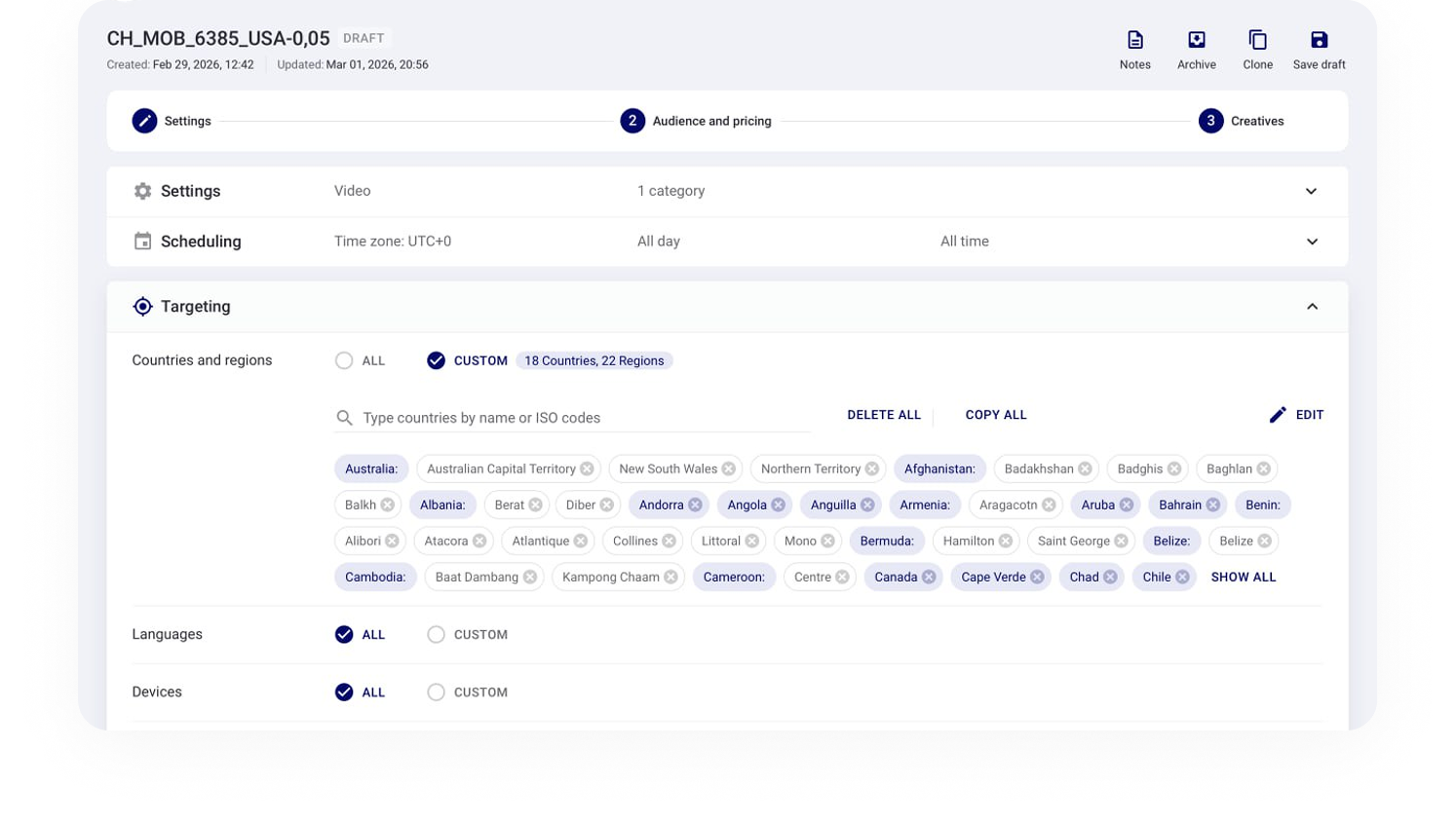
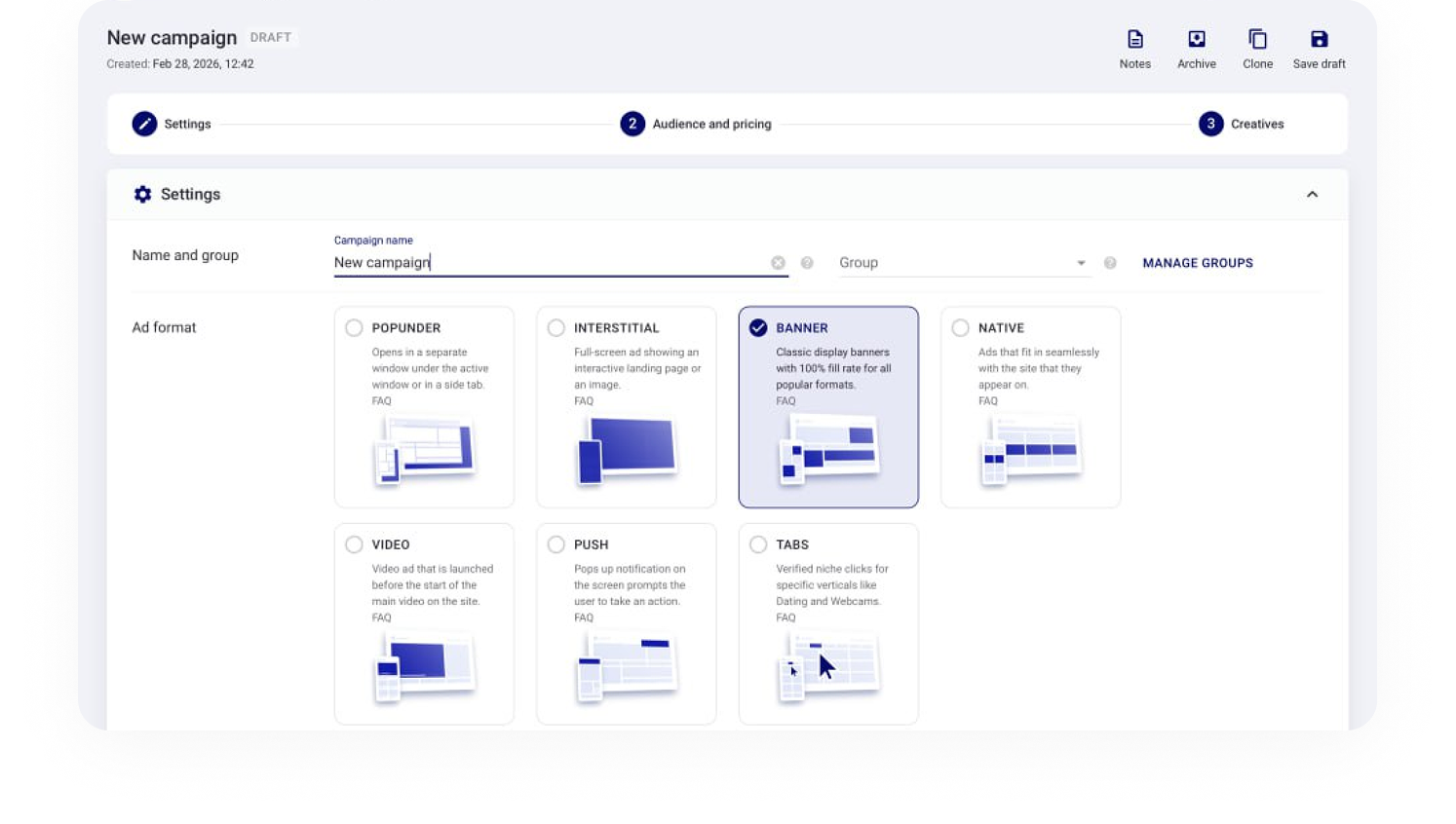
Step 1 Campaign Creation

Set up your campaign in minutes by selecting your targeting options and ad formats

Step 2 Ad Format Selection

Choose from high-performing ad formats: banners, native ads, videos, or pop-unders

Step 3 Real-Time Analytics

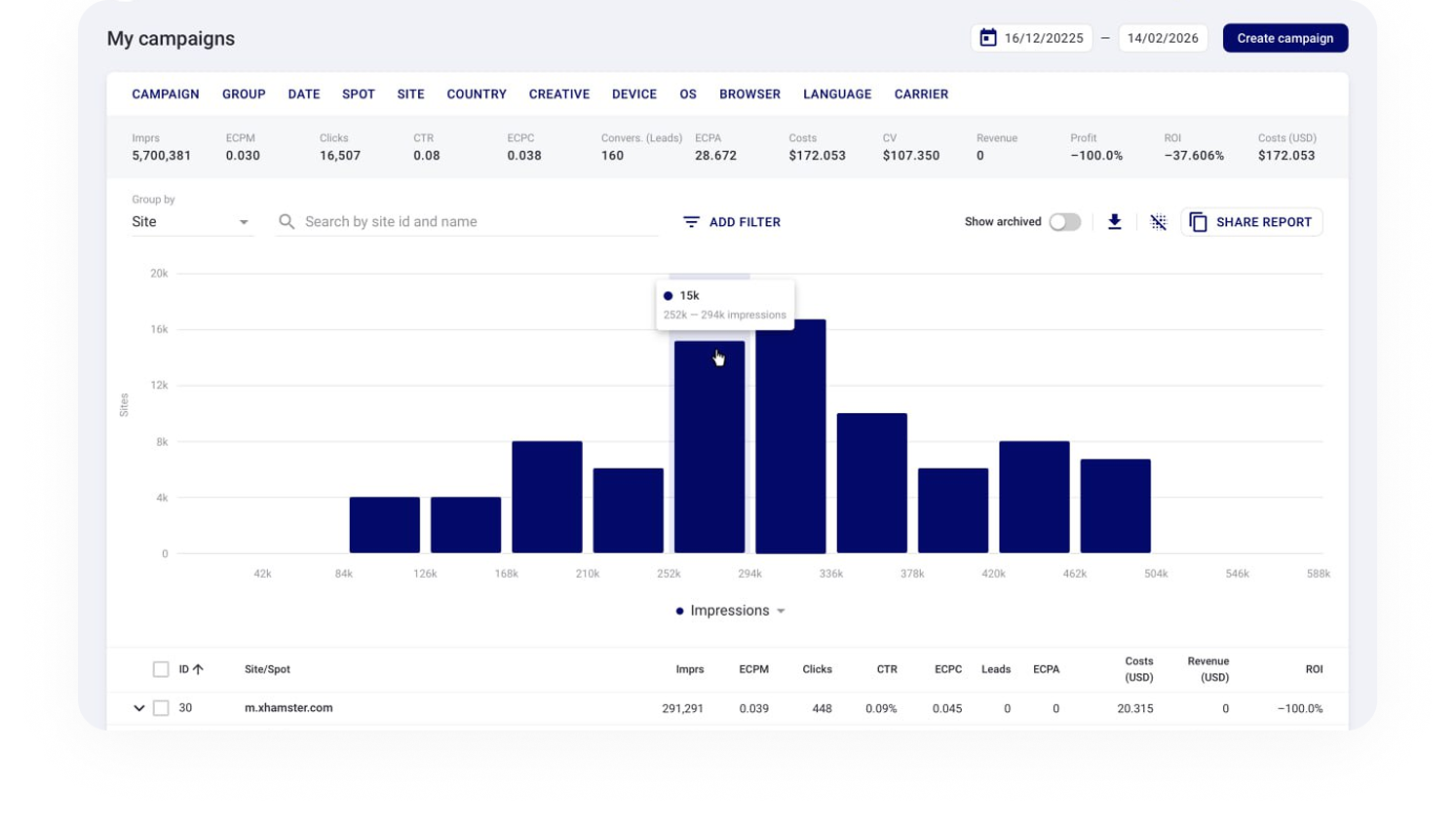
Monitor campaign performance with detailed real-time dashboards for CTR, ROI, and conversions

FAQ

Popunder ads open in a new browser tab or window behind the page a user is currently viewing. The ad becomes visible when the user closes or minimizes the active window, creating a less disruptive experience than traditional popup advertising.

TrafficStars provides access to high-volume global traffic, flexible targeting options, real-time campaign statistics, and optimization tools. Advertisers can target audiences by GEO, device, operating system, browser, language, carrier, connection type, and traffic zone.

Use a fast, mobile-friendly landing page, localize the offer for each GEO, track conversions with an S2S postback, and test multiple landing pages and CTAs. Analyze performance by traffic zone and use whitelists, blacklists, frequency caps, and TrafficStars’ optimization tools to improve CPA and ROI.

The cost depends on the selected GEO, targeting settings, device type, competition, and pricing model. TrafficStars supports CPM, sCPM, and CPA campaign models, allowing advertisers to choose an option that matches their goals and budget.

Popunder traffic commonly performs well for iGaming, Dating, Sweepstakes, VPN and mobile utilities, Finance, Crypto, Webcam, e-commerce, and entertainment offers. Campaigns with simple conversion flows and clear calls to action usually deliver the best results.

Yes. TrafficStars allows you to target specific countries, devices, operating systems, browsers, languages, carriers, connection types, and traffic zones. Creating separate campaigns for desktop and mobile traffic can make optimization easier.