
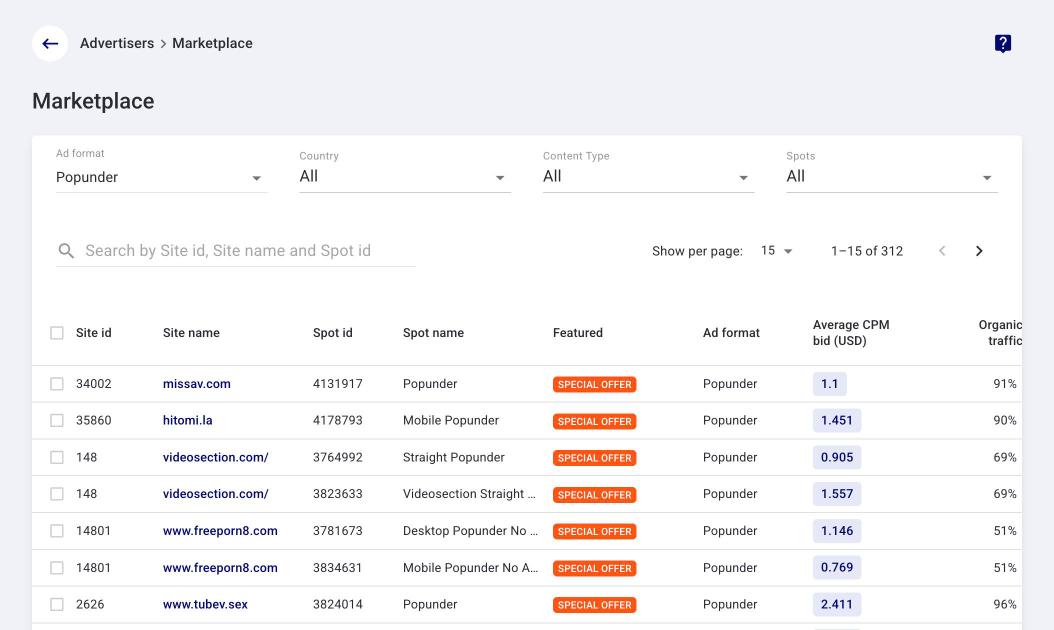
Marketplace is a section of the advertiser account where you can browse available TrafficStars spots, estimate their traffic volume and build a campaign right away from the spots you select.
You see the sites, their impressions and the average CPM bid before launch, and choose where to run your ads.
For example, to check whether TrafficStars has US and Canada traffic for your offer, simply filter spots by these countries and your content type.
✨ What Marketplace gives you
- Traffic transparency — you see specific spots and their volume before launch.
- Recommended spots for your vertical — Adult or Mainstream.
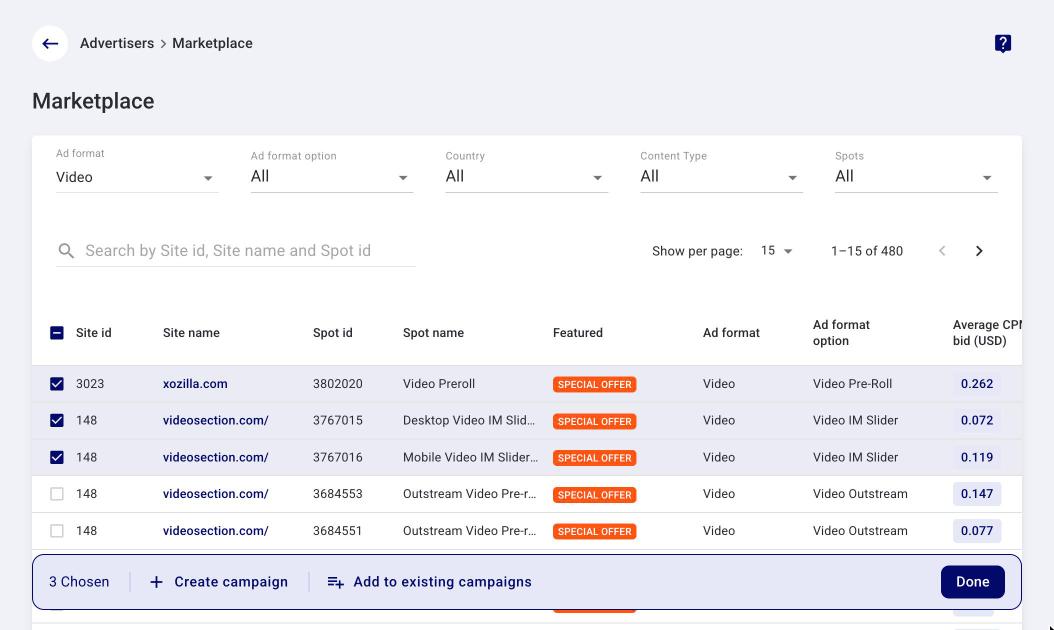
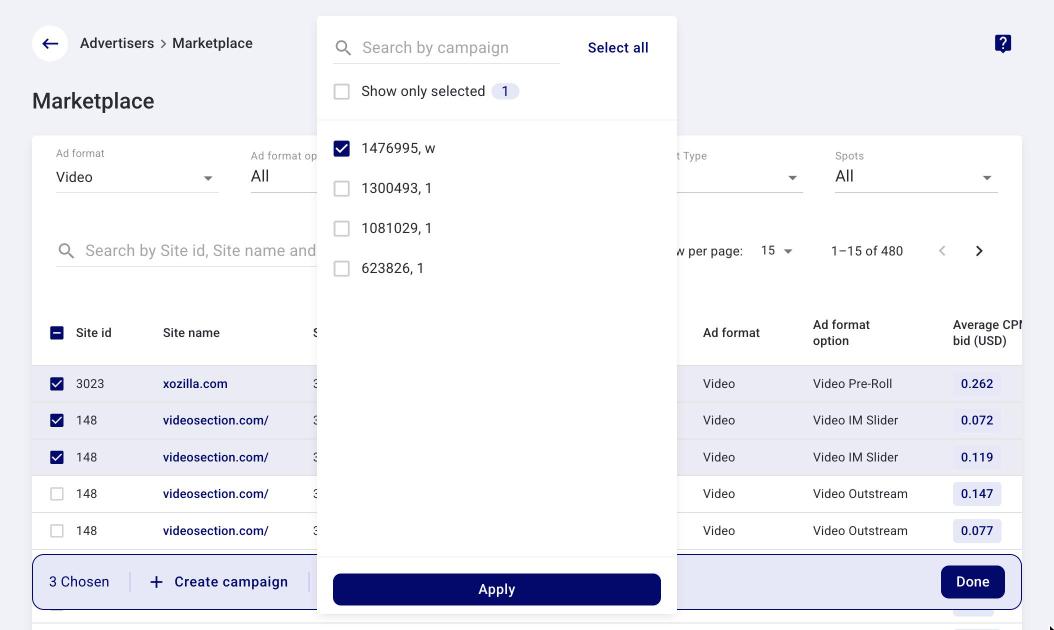
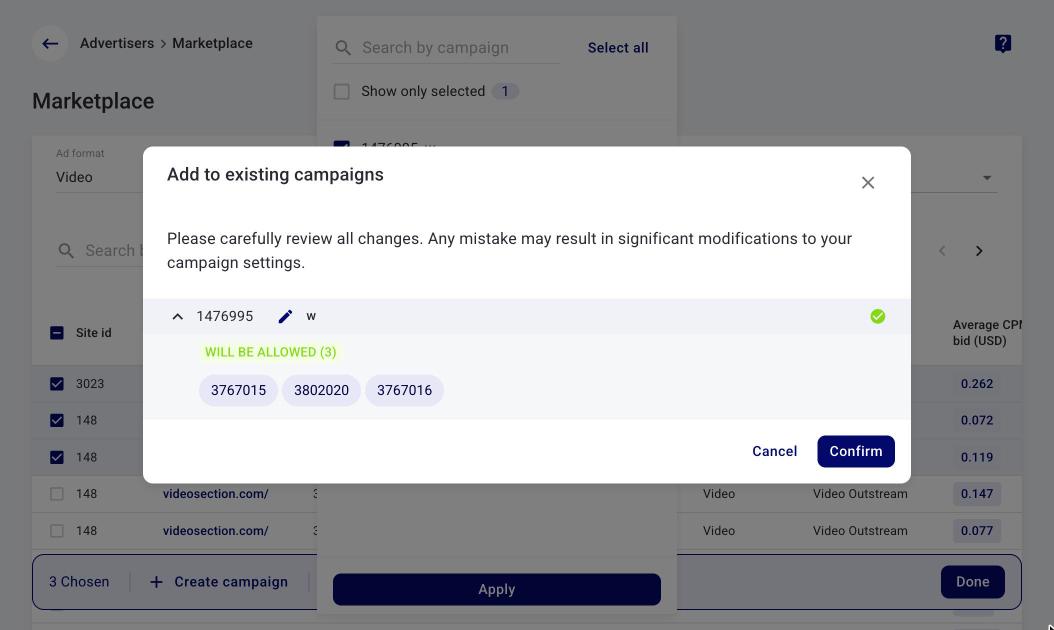
- Add spots to existing campaigns — click Add to existing campaigns in the bottom bar, choose the campaigns and click Apply: a preview shows the changes before you confirm.
- New sources — you can test spots you have not run on yet.
📊 What data the table shows
Each row of the table is a spot. For each spot you see:
- Available daily impressions — the average number of impressions per day on the spot over the last full days, for the selected countries.
- Average CPM bid (USD) — the bid to start with to receive traffic from the spot.
- Organic traffic — the share of the site’s organic traffic, %.
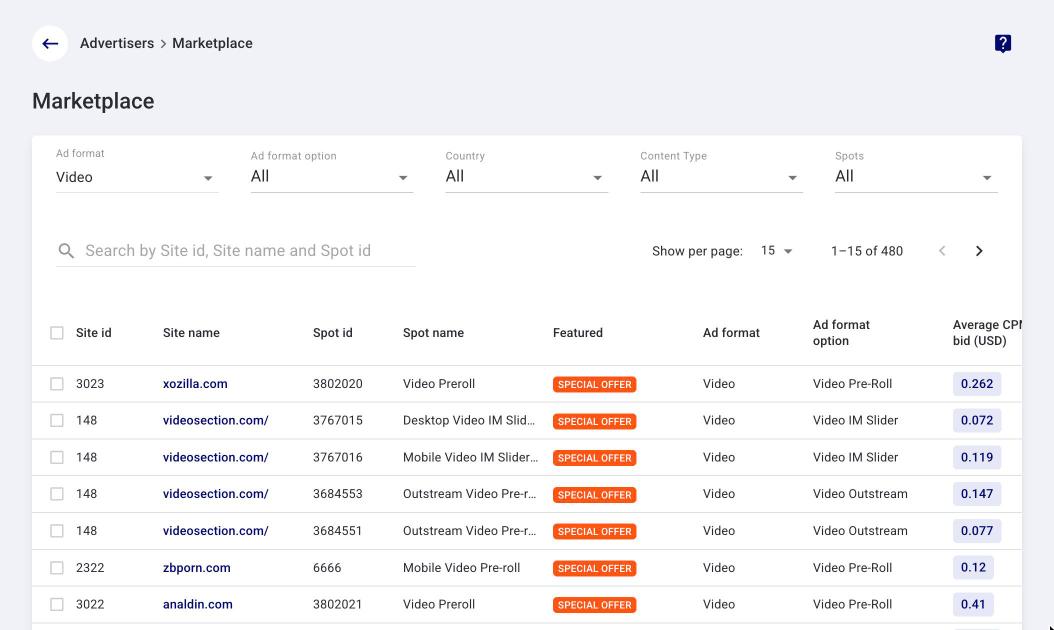
- Ad format option — shown for formats that have options: Video and Push.
🔍 Filters
You can narrow down the list of spots by:
- Ad format — the ad format.
- Ad format option — appears when Video or Push is selected in Ad format.
- Country — countries.
- Spots — specific spots.
- Content Type — Adult or Mainstream.
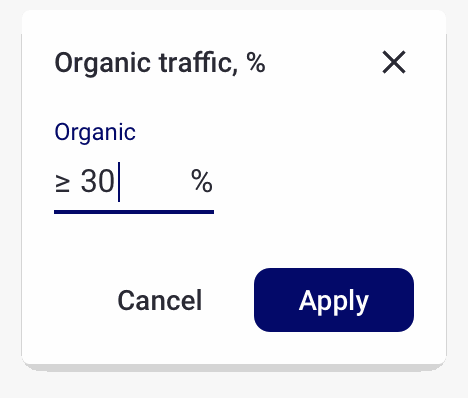
The Organic traffic filter opens from the header of the Organic traffic column: you can set the minimum share of organic traffic, for example ≥ 30%.
🚀 How to launch a campaign from Marketplace
- Open Advertisers → Marketplace.
- Set the filters: Ad format, Country, Content Type and, if needed, Organic traffic.
- Select the spots you want to run on in the table. Use Available daily impressions and the Average CPM bid as a guide.
- Click Create campaign in the bar at the bottom of the page.
- A draft campaign with the selected spots is created and opens on the Audience & Pricing step. Complete the settings and add creatives, then launch it.
💡 Important points
- Marketplace is available only in the advertiser account after you log in.
- Available daily impressions is an average per day for the selected countries.
- A draft campaign is created right away, with no confirmation window. It does not start automatically: complete the settings and launch it.
- Need help choosing spots? Contact your account manager or TrafficStars support.
- To add the selected spots to campaigns you already have, click Add to existing campaigns in the bottom bar, choose the campaigns and click Apply: a preview shows the changes before you confirm.
Was this article helpful? Your feedback matters to us!
If you need assistance, please contact us 24/7 via live chat or email at
support@trafficstars.com
support@trafficstars.com