
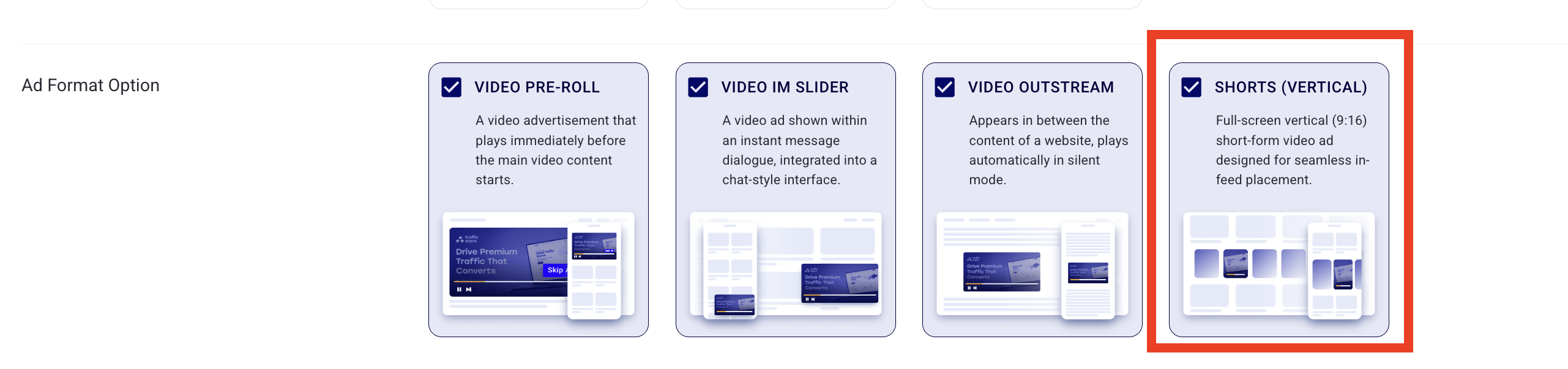
We have introduced a new ad format option for Video campaigns: Shorts (Vertical). This format is designed for full-screen, vertical short-form video ads (9:16 aspect ratio) optimized for mobile in-feed placements.
Shorts (Vertical Video) quick specs:
- Aspect ratio: strictly 9:16 (recommended).
- Placement: Mobile In-Feed.
- Supported creatives: standard Video & VAST.
Here is everything you need to know about creating, targeting, and uploading creatives for Shorts campaigns.
1. Choosing the ad format
When creating a new campaign, go to the Ad Format section and select Video. You will now see a new sub-option: Shorts.
💡 The campaign creation page includes schematic previews for each ad format option so you can instantly see how your creative will layout on a user's screen.
2. Targeting and spot selection (Step 2)
Your spot targeting automatically adjusts based on your selections to match publisher settings:
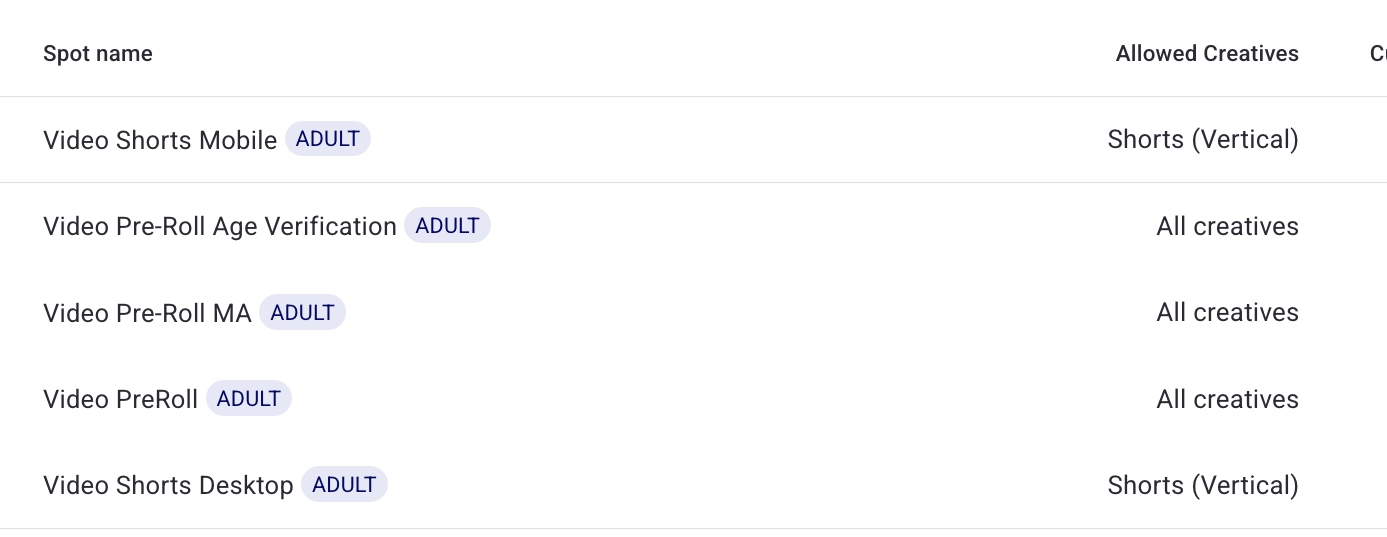
- A: You select ONLY "Shorts (Vertical)": System filters and shows only spots with the Only vertical video resolution 9:16 tag.
- B: You select Shorts + other video options: You will see all spots, but a new Ad Format option column will clarify which spots are vertical-only.
- Ad Format option column: a new column has been added to the video spots table. It displays whether a spot accepts Shorts (All creatives) or Shorts (Only vertical creatives).
3. Creatives, features & tech specifications (Step 3)
Video uploads & formatting
- You can upload videos of any resolution regardless of the chosen option. The system does not strictly block horizontal videos for Shorts campaigns, but using 9:16 is highly recommended for optimal CTR.
- Interactive Previews: When adding Brand Name, Headline, CTA, and URL to your creative, an interactive preview will show exactly how the finished ad will render.
Post-Upload elements
- Auto-generated posters: Every video campaign targeting Shorts spots requires a poster image. By default, our system automatically generates a poster using the first frame (or a random frame) of your uploaded video. This poster is embedded into the resulting VAST tag.
- Custom posters: You can manually overwrite the auto-generated poster by uploading your own image.
Important notice for VAST
- By default, all VAST campaigns are marked ashorizontal.
- How to enable vertical VAST: please contact your Account Manager or our Support Team to unlock the "vertical" attribute for your VAST tags.
- For all type creatives, you can manually upload a custom poster image via the new optional field in the UI.
If you want to optimize your active video campaigns for this new placement, let us know if you need help with setting up!
support@trafficstars.com